Everything your agency does each day, in one system

Most agencies work with separate pieces: property software, a website someone else maintains, translations by email and enquiries in a shared inbox. BRES brings these together. Below you can see what each part does, with real screens and fictional demo data.

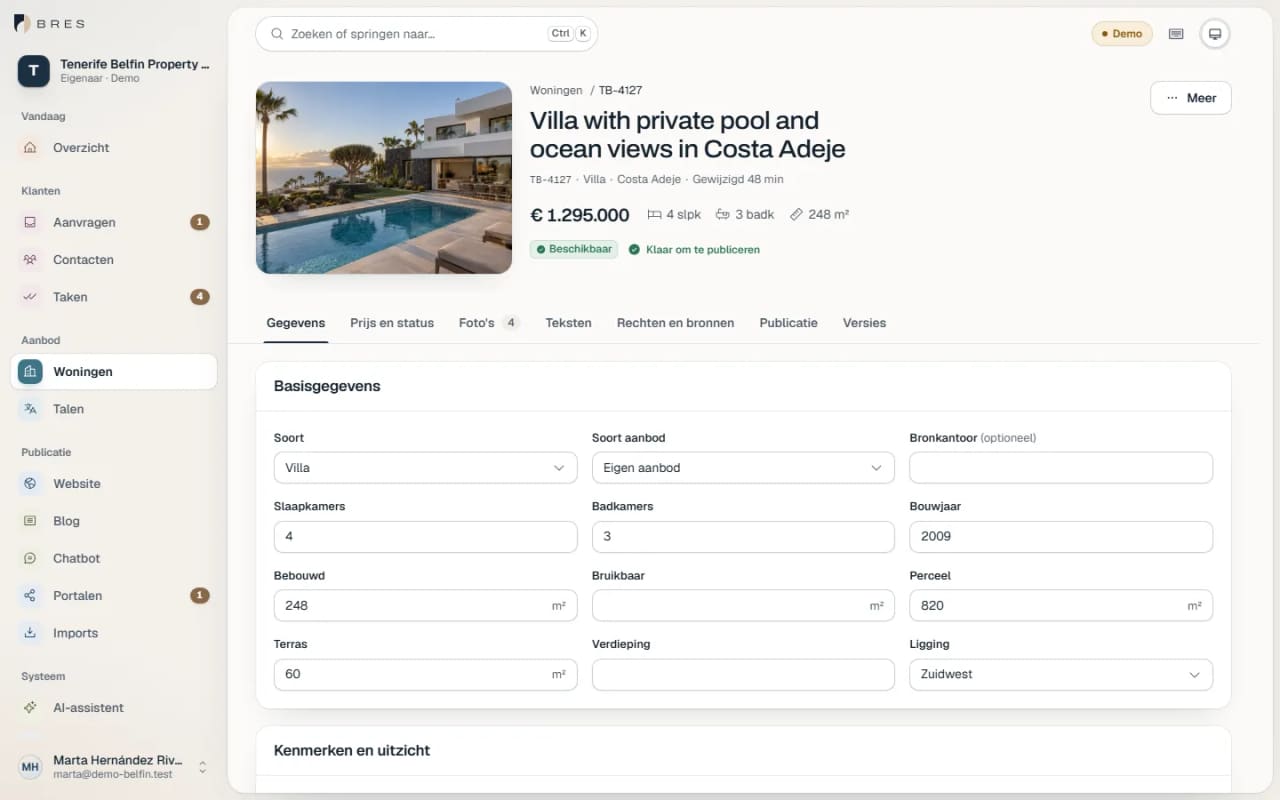
Property record in BRES with key details, price and status

Listings

Enter each property once

Facts, price, features, energy rating, photos and descriptions sit in one record per property. Your website and your portal feeds read from that record, so you change a price in one place.

  • Every change gets a version. If two colleagues work on the same property at once, the second one sees this before anything is overwritten.
  • Photos with the usage rights and order for each image. Public images are generated automatically in AVIF and WebP.
  • Owner, address and commission stay internal and never appear on your website.
  • Edit in bulk, and keep drafts until they are ready.
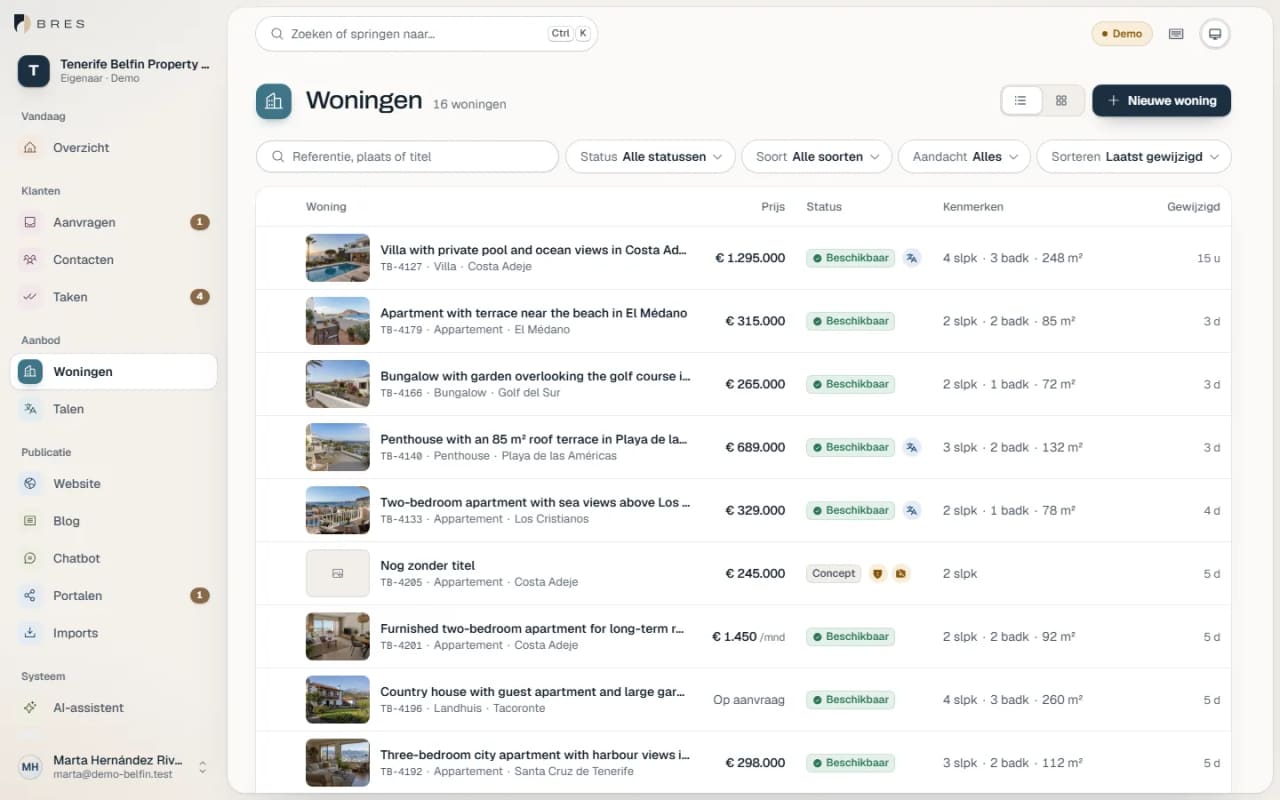
Property overview in BRES with photos, prices and status for each property
Real BRES screen with fictional demo data

Enquiries and follow-up

Enquiries arrive with the property attached

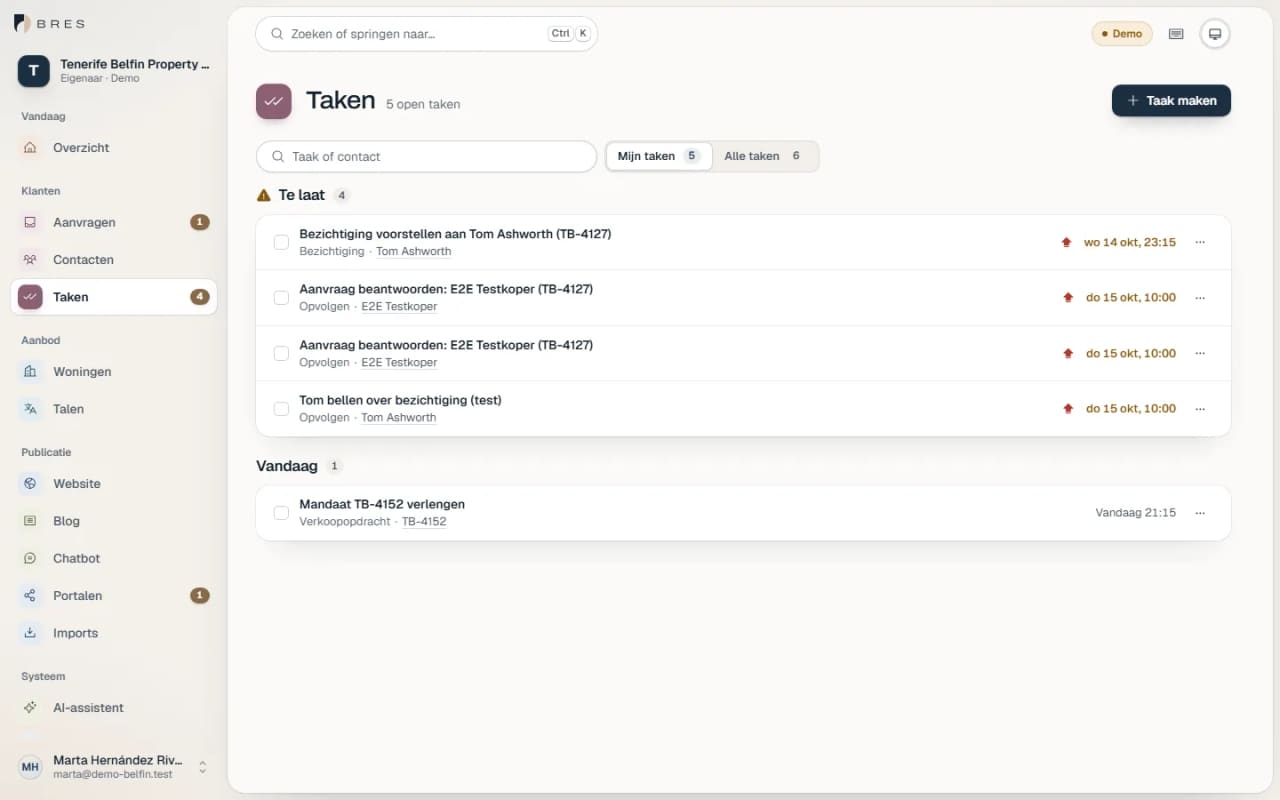
An enquiry from your website appears in BRES straight away, with the property, the visitor's language and the source. You assign it, set a deadline and see in one list what is still open.

  • Assign by colleague or by language.
  • Tasks, viewing requests and vendor intake in the same overview.
  • Search criteria for each contact, with an explanation of why a property matches.
  • Saved first, then confirmed: if the email fails, you still have the enquiry.
Task list in BRES with deadlines, overdue tasks and linked enquiries
Real BRES screen with fictional demo data

Website

Your own website, published by you

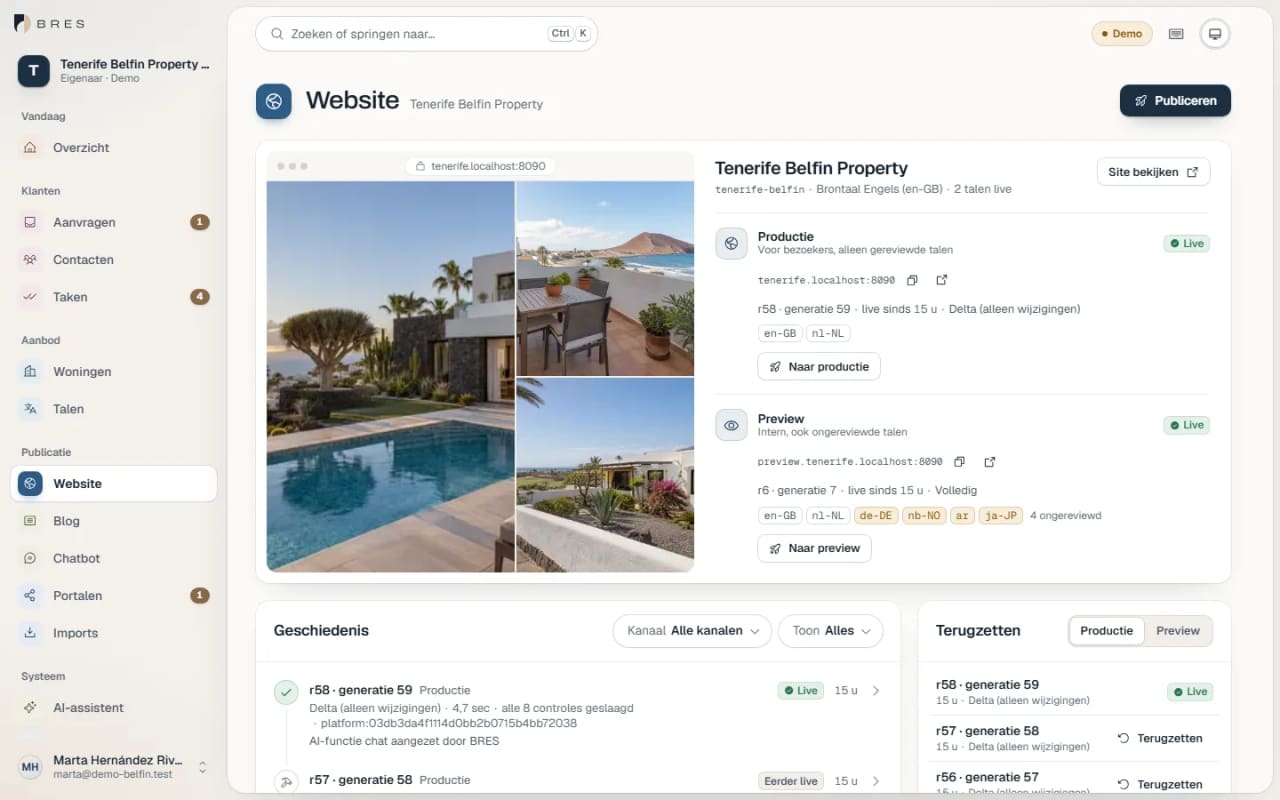
Your agency gets a site with its own design. Change a property and press Publish, and the change is online within about a minute. Check it in a preview first if you like, and roll back to an earlier version with one click.

  • Production and preview kept separate.
  • Only changed pages are rebuilt.
  • A withdrawn property shows a clear notice instead of a dead link.
  • No plug-ins or web designer needed to make a change.
More about the websites
Website screen in BRES with production, preview and release history
Real BRES screen with fictional demo data

Languages

Translation with a fixed check

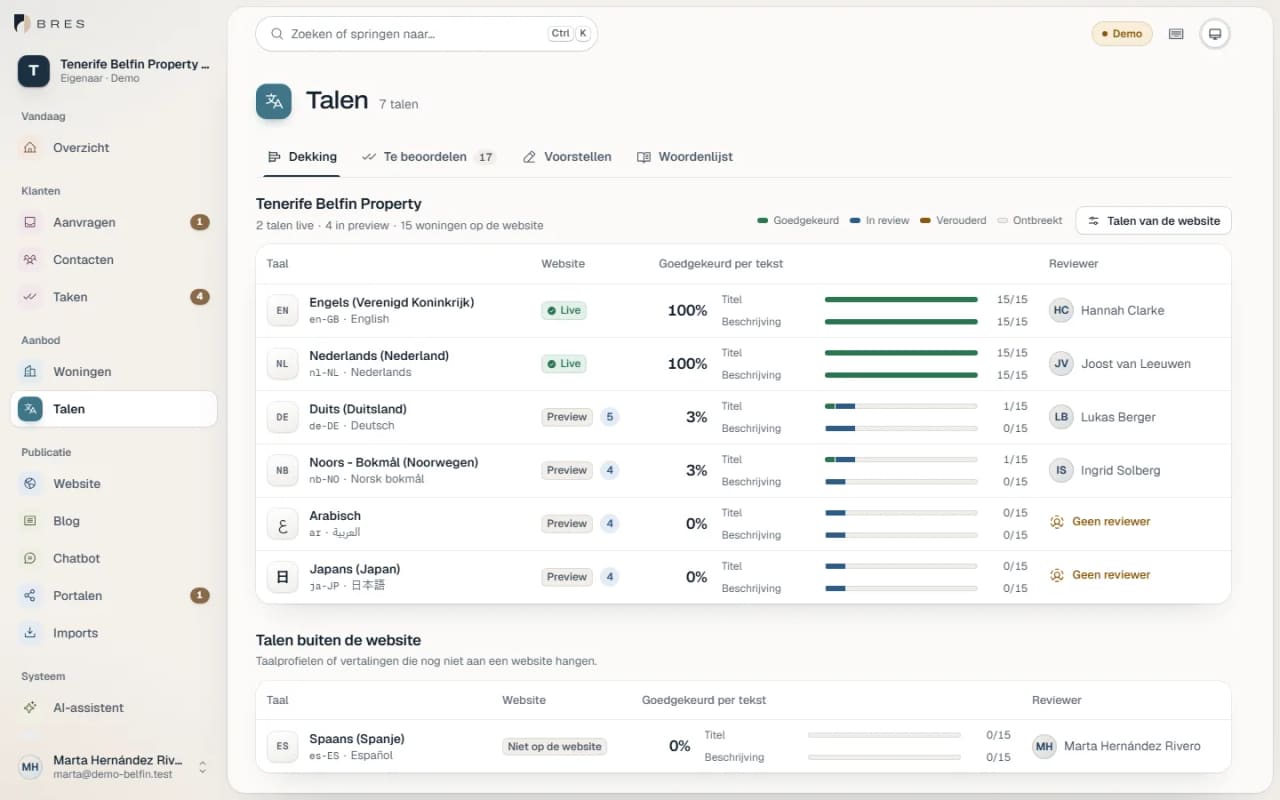
Texts for each language go through a review queue. A suggestion comes from you, a colleague, a translator or the AI, and someone who knows the language approves it. Only then does that language appear on your site.

  • More than thirty languages and variants, including Arabic and Japanese.
  • Prices, floor areas and status stay untranslated and are formatted correctly for each language.
  • If the source text changes, you see which translations are out of date.
  • Glossary and translation memory for each agency.
Review queue in BRES with source and suggestion side by side
Real BRES screen with fictional demo data

Portals

See what each portal has actually received

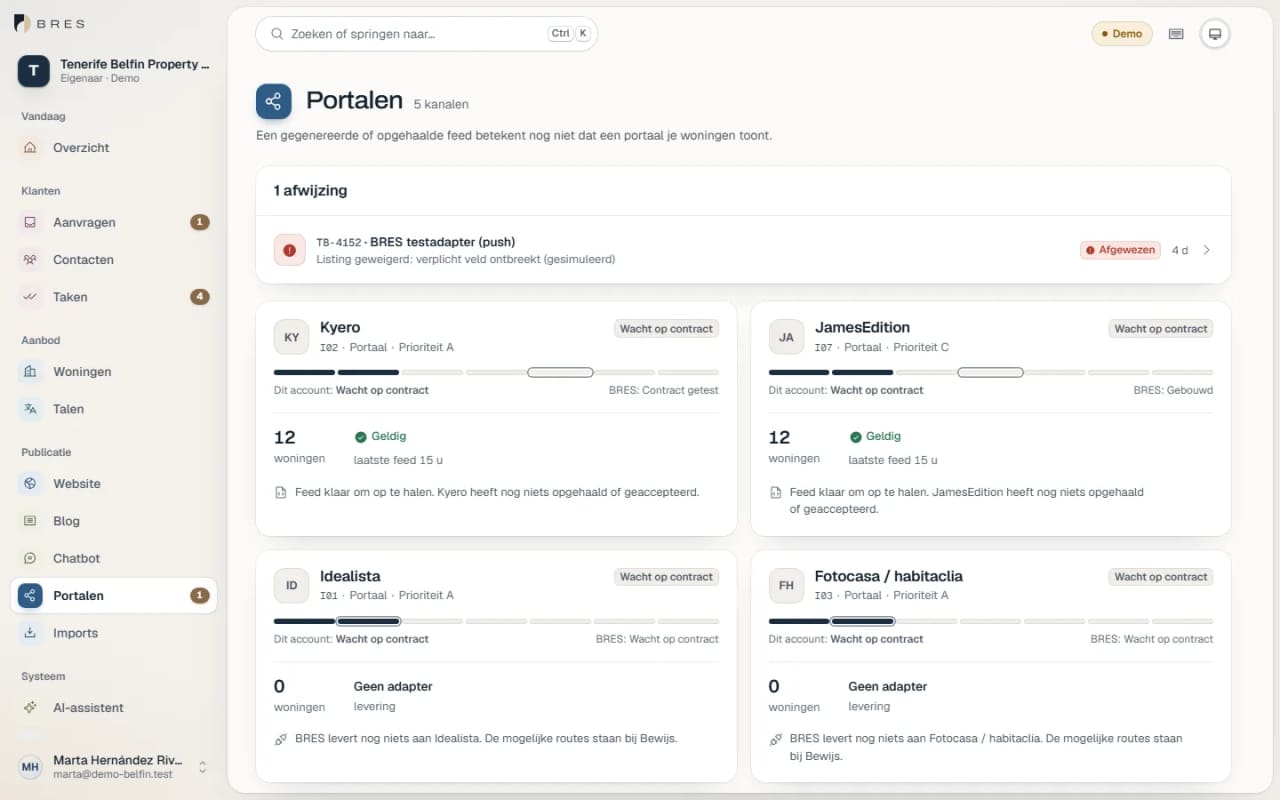
BRES builds portal feeds from the same record. For each property and each portal you see the status, including when a portal rejects a property, and why.

  • Kyero and JamesEdition: feeds built and validated against their format.
  • Idealista and Fotocasa: in preparation. A connection requires a contract with the portal.
  • Preparing a feed is not the same as publishing, and the screen shows that difference too.
Portals screen in BRES with the status of Kyero, JamesEdition, Idealista and Fotocasa
Real BRES screen with fictional demo data

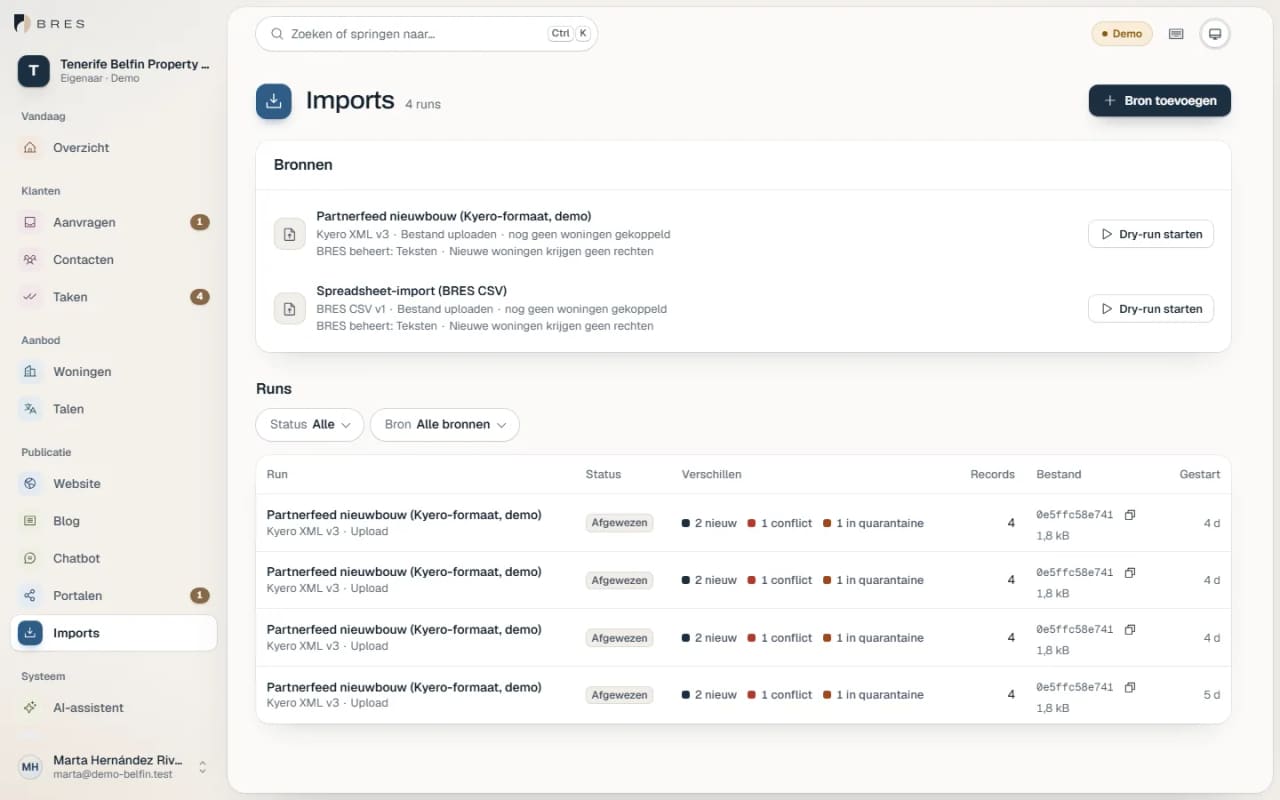
Import

Bring in existing listings with a trial import

An import always starts as a trial. For each property you see what is new, what changes and what needs checking first. Only when everything is right do you apply the import.

  • BRES JSON, CSV and the Kyero format.
  • Conflicts and doubtful cases go into quarantine first.
  • An empty or interrupted source deletes nothing.
How switching works
Import screen in BRES with sources, trial runs and the new, changed and rejected properties in each run
Real BRES screen with fictional demo data

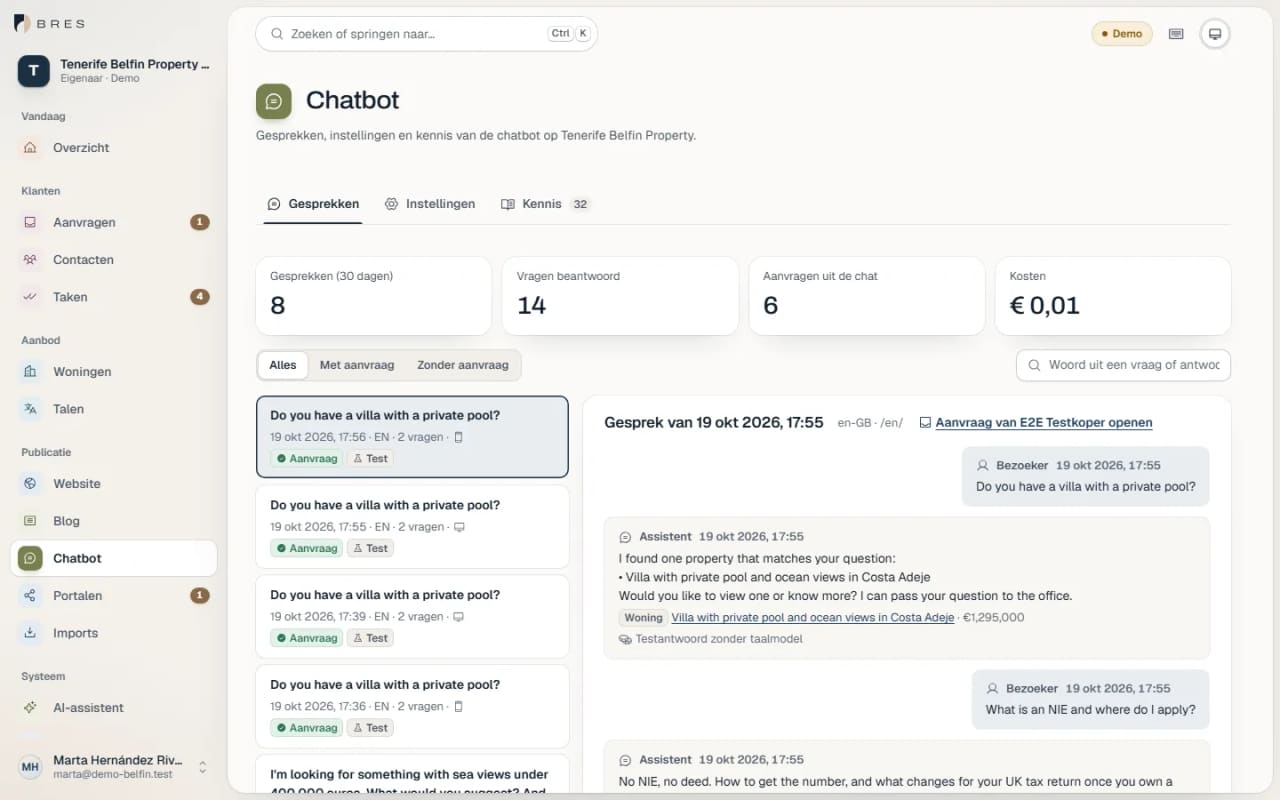
AI add-ons

AI as an extra, only where you want it

Two paid add-ons that you switch on per website. They make suggestions. They do not publish anything or make promises themselves.

  • AI blog: articles about your region in your site's languages, with facts from your own source list, live only after your approval.
  • AI assistant: answers visitors' questions using your published listings and, with their consent, prepares an enquiry.
  • You see each month what the AI features cost.
Chatbot screen in BRES with conversations, questions asked and enquiries from the chat
Real BRES screen with fictional demo data

Data and security

Your clients trust you with their data. BRES has been built around that from the first line of code.

  • Isolated per agency

    Each agency only sees its own data. That boundary is enforced by the database itself, on top of the application.

  • Two-step verification

    You can sign in with an extra code from an authenticator app.

  • Every change traceable

    For each property you see who changed what and when, and earlier versions are kept.

  • Your data stays yours

    You can export your listings at any time as JSON or CSV.

  • Consent recorded

    Every enquiry from your website shows which consent the visitor gave, and when.

  • Permissions per colleague

    You decide for each team member what they can see and do.

View through a lime-white arch onto a stone terrace with an olive tree and the deep blue Mediterranean Sea

See it with listings like yours

In a demo we show BRES with properties like the ones you sell. Tell us briefly about your agency and we will arrange a time.

Your request

What is it about?